• Convallis consequat

    Lorem ipsum integer tincidunt quisque tristique sollicitudin eros sapien, ultrices primis volutpat tempor curabitur duis mattis dapibus, felis amet faucibus...

  • Augue nullam mauris

    Lorem ipsum integer tincidunt quisque tristique sollicitudin eros sapien, ultrices primis volutpat tempor curabitur duis mattis dapibus, felis amet faucibus...

  • Donec conubia volutpat

    Lorem ipsum integer tincidunt quisque tristique sollicitudin eros sapien, ultrices primis volutpat tempor curabitur duis mattis dapibus, felis amet faucibus...

  • Primis volutpat tempor

    Lorem ipsum integer tincidunt quisque tristique sollicitudin eros sapien, ultrices primis volutpat tempor curabitur duis mattis dapibus, felis amet faucibus...

Showing posts with label Misc. Tools. Show all posts

Microsoft Mathematics 4.0 :: Free Download X86 & X64 Version

You might solve simple mathematics functions via Microsoft Excel but you’ll need an additional mathematics addon or other software to solve complex mathematics problems. Luckily, Microsoft has a powerful and easy-to-use standalone software named Microsoft Mathematics 4.0 which is available for free.

What can you do with Microsoft Mathematics 4.0?
Consists of various powerful mathematical modules to aid in tackling the pre-algebra, algebra, trigonometry, calculus, physics and chemistry calculations, Microsoft Mathematics 4.0 will surely fulfill your math needs.


Key Featutes of Microsoft Mathematics 4.0?
- Step-by-Step Equation Solver
An interactive assistance to aid the process of resolving complicated problems
- Graphing Calculator
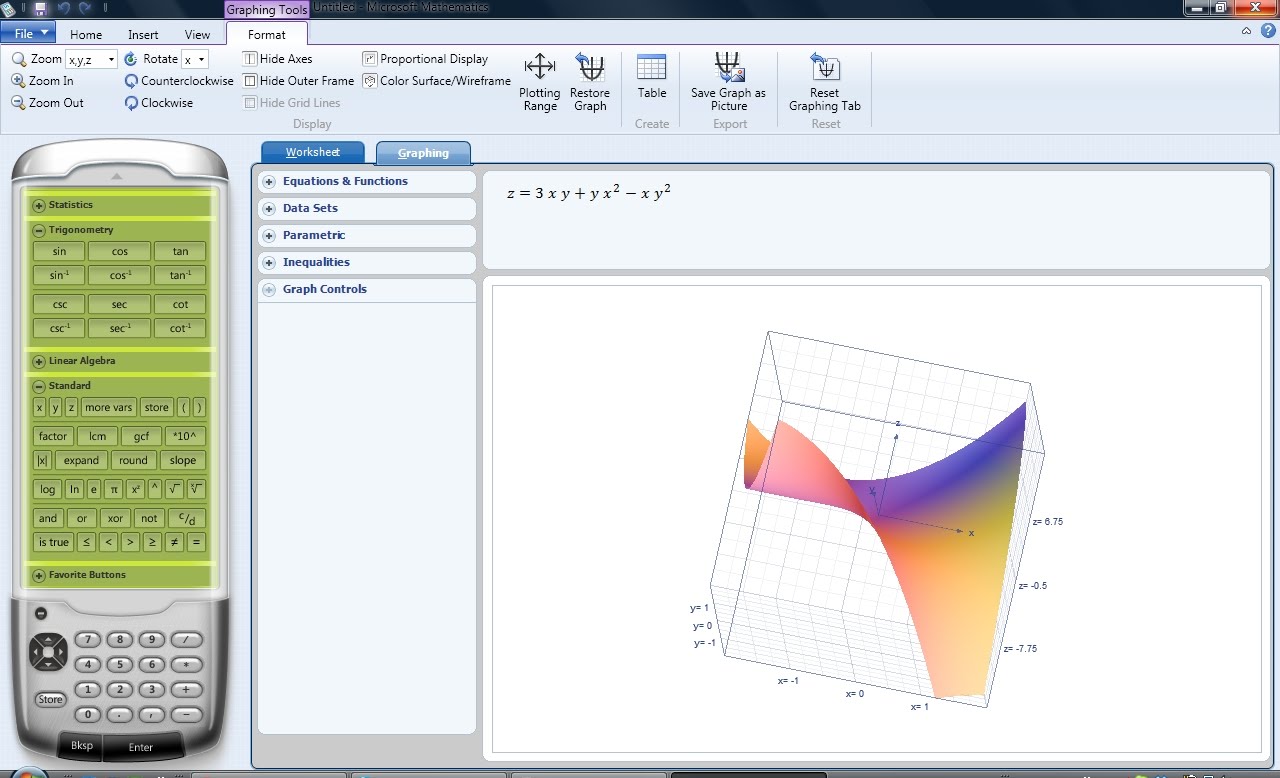
Enable the users to visualize large data-sets in 2D and enhanced 3D color graphs
- Formulas and Equations Library
Eliminate unnecessary memorizations or book flipping as more than 100 commonly used equations and formulae are handily available
- Triangle Solver
A special graphing tool to aid in resolving trigonometry-based problems.
- Unit Conversion tool
Easy conversion involving length, area, volume, weight, temperature, pressure, energy, power, velocity, and time.
Note: Microsoft Mathematics provides a graphing calculator that plots in 2D and 3D, step-by-step equation solving, and useful tools to help students with math and science studies.

You can download standalone setup installer file of Microsoft Mathematics 4.0 here (free via Microsoft’s server). Alternatively you can use direct download link below:

Download [64-bit]
Download [32-bit/ x86]

Anti Tracks Free Edition 9.0.1.99


Description

Safeguard your computer and your privacy


Anti Tracks Free Edition is a performant application that can help you clean your PC of Internet browsing history, application tracks and other junk files that may clog your system.

This utility also includes a set of tools that are designed for hiding important files and folders, uninstalling applications and managing startup items.

Anti Tracks Free Edition has a 'Quick Start Wizard' that you can use to easily select the Windows and Office tracks that will be deleted.

Here are some key features of "Anti Tracks Free Edition":

· Browsers Tracks Erasing
· File and Folder Hiding
· Windows Usage Tracks Erasing
· Stealth Mode
· Cookies Management
· Windows Startup Management
· Applications Uninstaller
· Command Line

Requirements:

· 128 MB RAM
· 100 MB Hard Disk Space

Direct Download link: Anti Tracks Free Edition 9.0.1.99

Microsoft Mathematics Add-In for Word and OneNote 15.0.0.0

Plot Graphs in 2D and 3D
Microsoft Mathematics was developed to be a set of tools that you can use to perform mathematical operations on expressions or equations in your Word documents and OneNote notebooks.

You can use the extensive collection of mathematical symbols and structures to display clearly formatted mathematical expressions. You can also quickly insert commonly used expressions and math structures by using the Equation gallery.

For Microsoft Mathematics to interpret and evaluate your mathematical expression, you must enter it into a region of your document called the Math Zone. To create a new Math Zone, place the cursor where you want to insert the Math Zone, and then do one of the following:
- On the Mathematics tab, click Equation.
- On the Insert tab, in the Symbols group, click Equation.
- Press Alt + =.

After you create a new Math Zone you can type in your expression. You can use any of the following methods to enter a mathematical expression:

Type directly into the Math Zone. You can use text, symbols, and Math AutoCorrect entries to input your expression. Microsoft Word and OneNote automatically format parts of your input into mathematical notation. For example, if you enter \int x^2 dx, it is automatically reformatted as ∫ x²dx. For more information, search for "Math AutoCorrect" in Word Help.
- Use a preformatted building block expression. For more information, search for "Insert equation" in Word Help.
- Use the Math Input Panel in Microsoft Windows 7.

Note:
Expressions can't contain conditions. If the expression you enter includes conditions, for example √x, x > 5, Microsoft Mathematics will return the message "Error in equation."

Here are some key features of "Microsoft Mathematics Add-In for Word and OneNote":

· Compute standard mathematical functions, such as roots and logarithms
· Compute trigonometric functions, such as sine and cosine
· Find derivatives and integrals, limits, and sums and products of series
· Perform matrix operations, such as inverses, addition, and multiplication
· Perform operations on complex numbers
· Plot 2-D graphs in Cartesian and polar coordinates, and 3-D graphs in Cartesian, cylindrical, and spherical coordinates
· Solve equations and inequalities
· Calculate statistical functions, such as mode and variance, on lists of numbers
· Factor polynomials or integers
· Simplify or expand algebraic expressions

Requirements:

Portable SynWrite 4.8.742: Free Download

Portable SynWrite is an easy to use, reliable and useful text editor designed to edit programs source codes with features such as syntax highlighting, code folding, tree structure etc.

This tool is a handy, easy to use text editor designed to edit programs source codes with such features as syntax highlighting, code folding, tree structure etc. It also offers support for many encodings.

Here are some key features of "Portable SynWrite":

· Syntax highlighting for lots of languages
· Fully customizable highlightings
· Code folding
· Support for almost all encodings 

Panels:

· Tree structure view for source code· Project management
· Document mini-map
· Clipboard history
· Tools output
· Search results

Coding helpers:

· Auto-completion· Auto-closing of tags/brackets
· Code templates
· SmartTagTabbing feature
· SyncEditing feature to edit identical identifiers
· Zen Coding support (HTML + CSS + XSL high speed coding engine)
· Color preview + Color picker
· Inserting of image tag
· Search, replace with regular expressions
· Search, replace in multiple files
· External tools support (capture of console output, errors navigation)
· Strings extraction feature
· Customizable hotkeys
· Bookmarks
· Keyboard macros
· Spell checking
· File sessions
· Plugin for file manager "Total Commander"
· Multilingual user interface
· Integrated HTML Tidy library
· Export to RTF/HTML with syntax highlighting
· Portable mode

Direct Download link: Click on this Portable SynWrite 4.8.742

Decor8 1.0 || Customize your Windows 8 for Start Screen

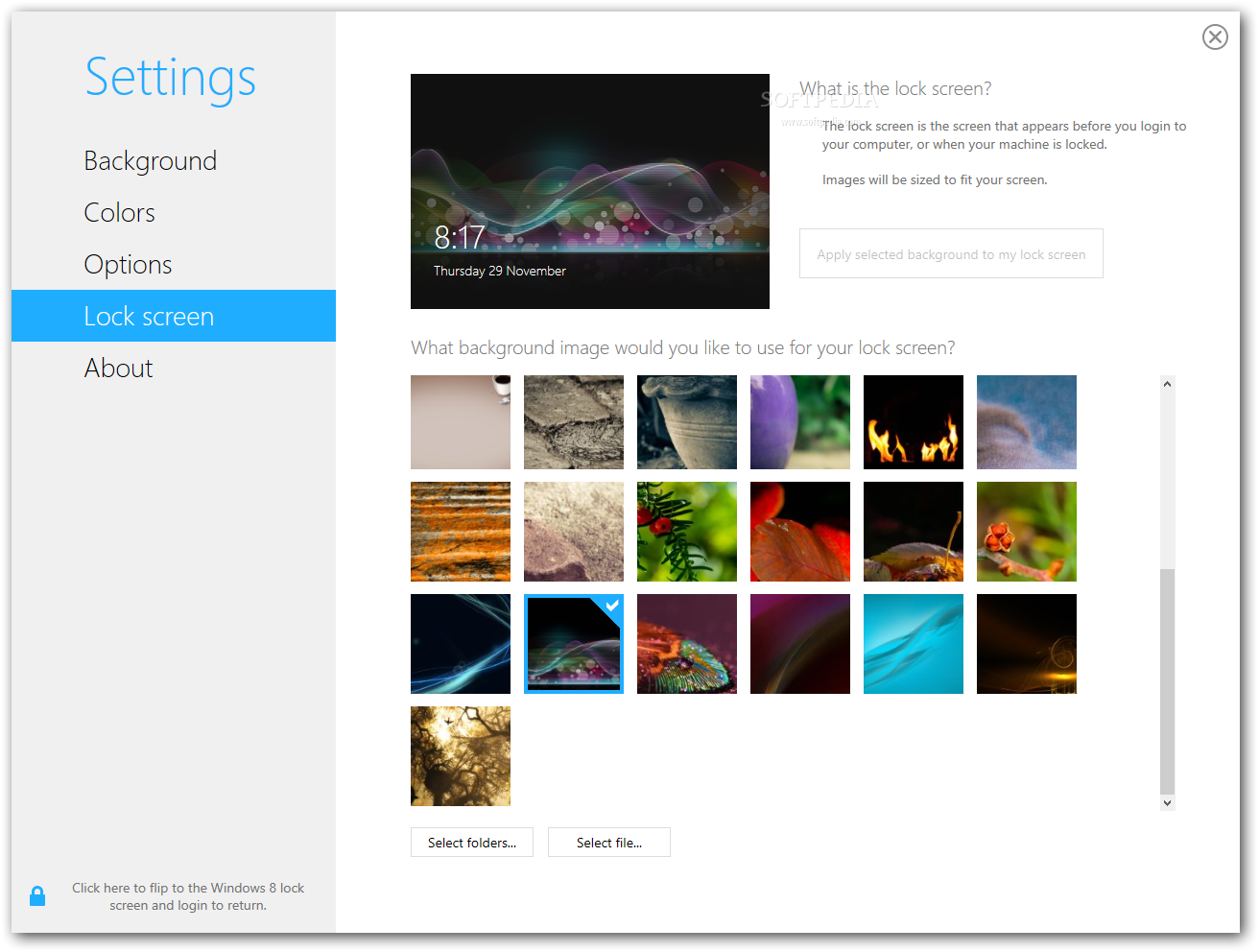
Windows 8 limits your start screen customization options to only 10 provided background images and a few pre-defined color schemes. Decor8 removes these limitations and provides the freedom to personalize your start screen with your own images and colors.
Decor8
-Add your own photos and images
-Select multiple images to create a custom slideshow
-Randomize background images in timed intervals for a fresh look
-Fade background images against the start screen color for a subtle effect
-Decor8 will automatically create a color scheme to match each of your background images or you can customize the color scheme, it's up to you.

Decor8 is a simple app for Windows 8 that enables users to customize the look and feel of their desktops, lock screens and of course, the new Modern UI environment. Though Windows 8 comes stocked with some basic options, Decor8 adds extra features to give users that extra level of personalization and refinement.

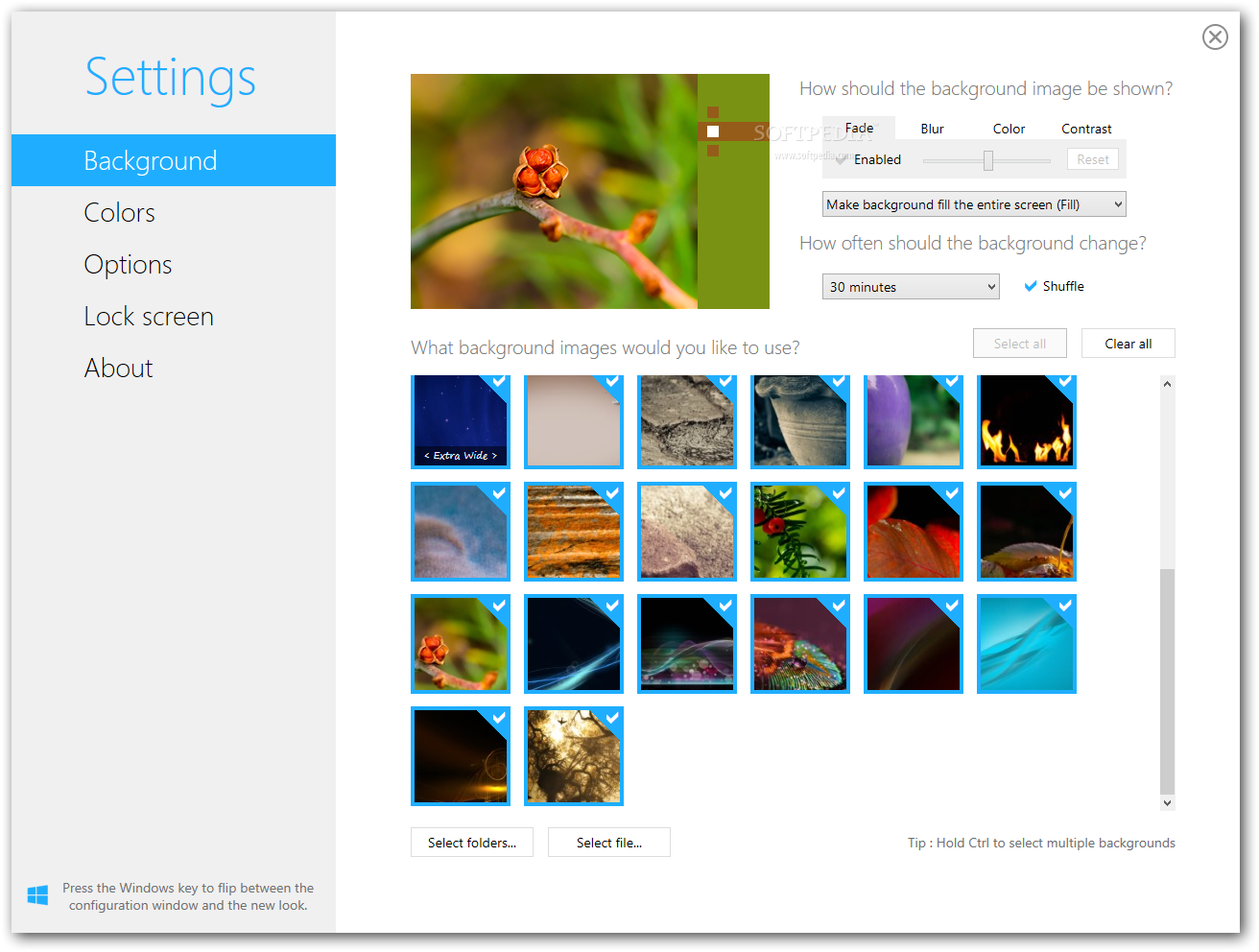
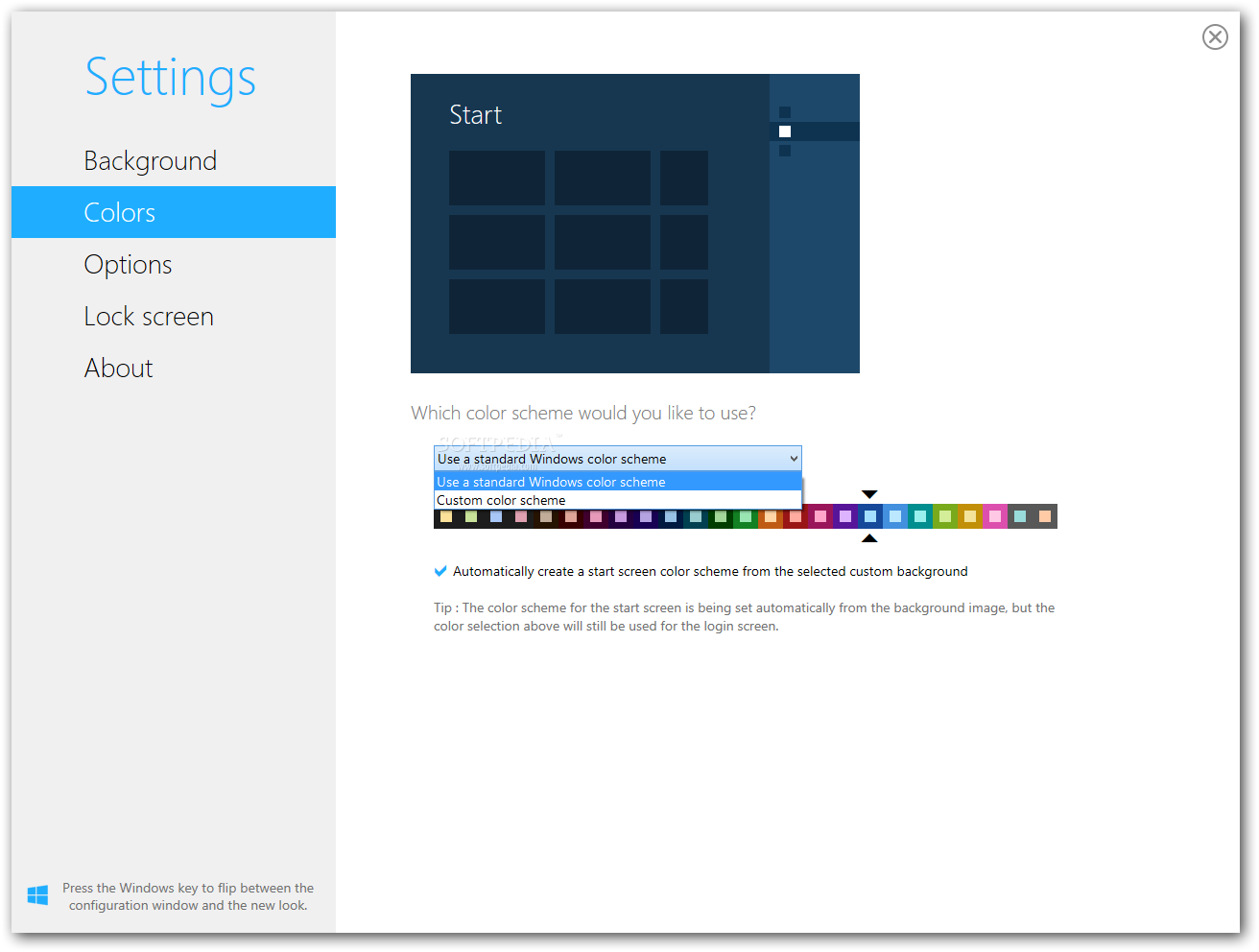
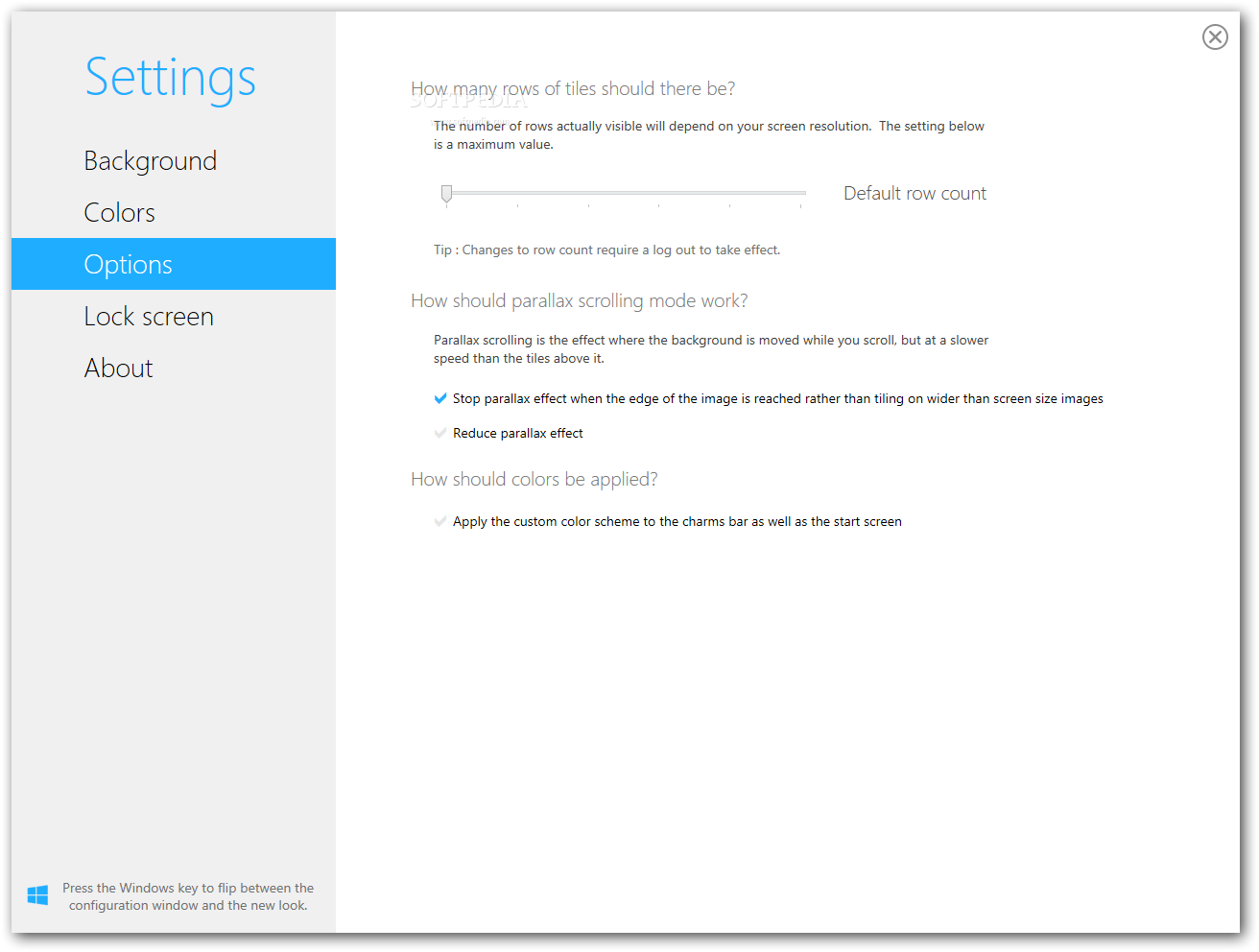
After you install the app, Decor8 will appear on the Start screen like any other tile. When you open the app, you'll be greeted with an options menu that appears mighty hard to discern from a standard Windows 8 settings menu. From the Background settings, choose any custom image or photo to set as your background for the modern UI and add visual tweaks like fading, blurring, and color overlays. Decor8 also allows users to rotate through multiple background images, a feature that's also peculiarly absent in the Modern UI environment, compared to its older desktop cousin.The colors option lets you tweak the tile buttons and other elements of the color scheme. These were options that had existed in previous stock Windows builds since XP, but Stardock has a more more presentable and easier interface to work with. Other notable tweaks include changing the row count and background scroll rates and even changing colors of the charm bar.
Other Screenshots:- The image below has been reduced in size. Click on it to see the full version.

"Decor8 will help you not only customizing your Windows 8 Start screen but your Lock screen, background and even color scheme"
"The Settings panel will provide users with all the tools they need to tweak the appearance of their Windows 8 installtion"


"Users will be able to choose between using a standard Windows color scheme or a custom scheme within the Colors section"


Windows Defender Offline Tool


Windows Defender & Windows Defender Offline Tool:
Windows Defender as earlier, it is a part of your Windows system.  Windows Defender is your first line of defense against spyware and other unwanted software. And in Windows 7, it's easier to use, with simpler notifications, more scanning options, and less impact on your computer's performance.
A new feature called "Clean System" provides one-click purging of all suspicious software, and Windows Defender is now part of Action Center, the streamlined place for keeping your PC running smoothly.
The primary benefit of using this tool is that it runs before malware, such as rootkits, can hide. When you perform a post-event malware scan and remediation by running the scan on a system infected with advanced low-level malware, the malware has a chance to run first. The malware itself may be intercepting the antimalware software’s attempts to inspect, take actions, or communicate to the user. When you run an “offline” tool like Windows Defender Offline, you’re bringing your own known-good, clean operating environment with you along with the scanner. You are booting the computer from that clean operating environment, and then running the scanner and inspecting the potentially compromised hard disk’s operating system, programs and data. As such, there’s integrity in the system during the “offline” scan. Malware that’s deeply rooted in the operating system won’t have the opportunity to run and hide before the scanner starts. The malware exists on the disk where it can be found and mitigated but is not actually running, so it’s inhibited from being able to intercept and interfere with the scanner’s activities.
Microsoft provides both a 32-bit and 64 -it version of the software for download:


Because Windows Defender Offline works from a clean environment, it's a good idea if you can get access to another computer running Windows that you know is free from infection. You can use this "known-good" computer to download and install Windows Defender Offline onto removable media, such as a CD, DVD or USB flash drive, as described in Step #1 below. Using a second, known-good computer will ensure that any malware you may have on your infected PC doesn't interfere with the download of Windows Defender Offline.  If you can't use a separate, known-good computer, then by all means it's worth trying to download and install the tool with the infected PC, however Windows Defender Offline may not operate correctly.